2 Git and GitHub workflow
This chapter is a short summary of the commands you need, not a guide to git.
2.1 Branches
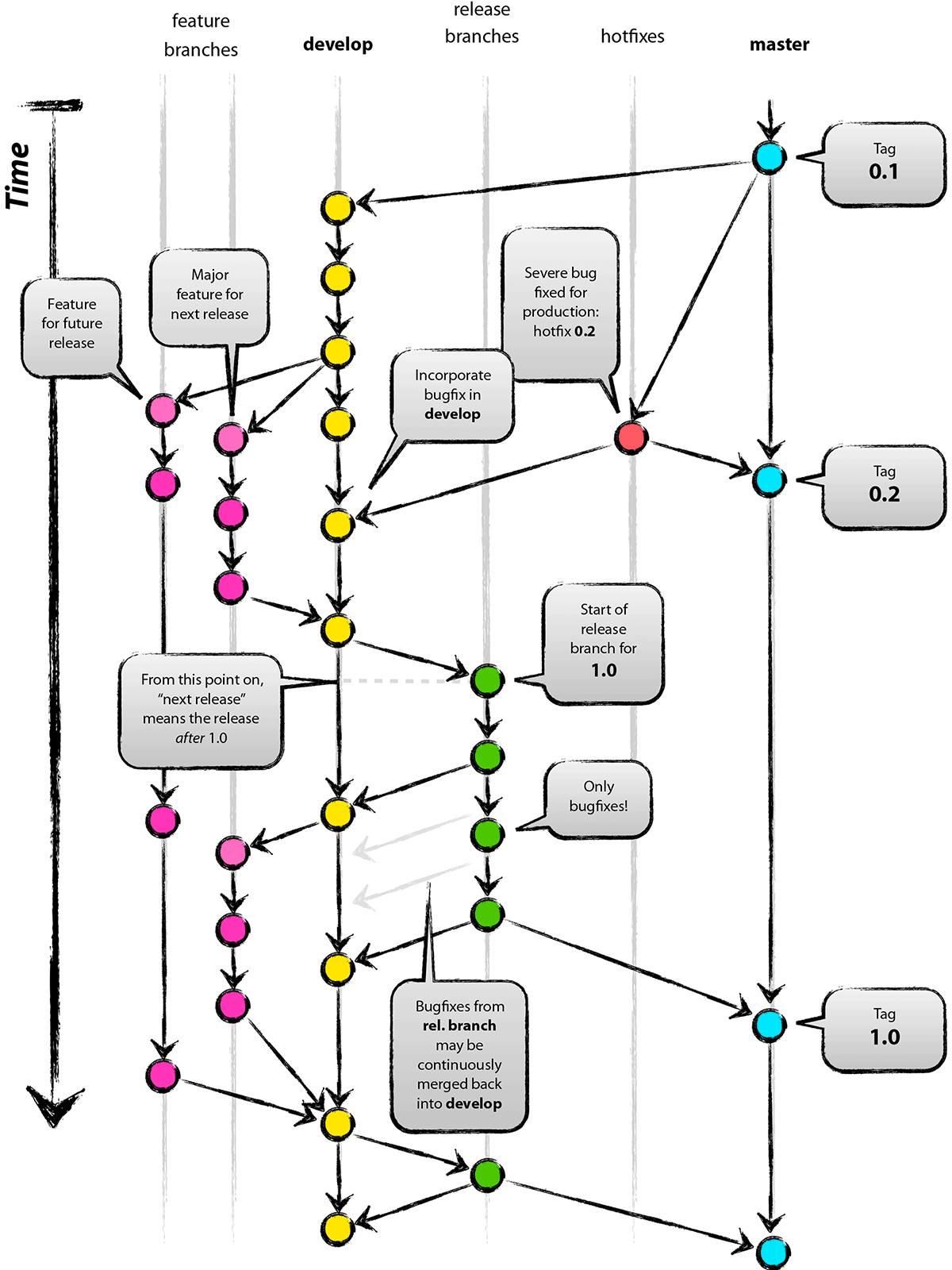
bmm follows a git-flow model. master holds the latest release and develop the next one. Features planned for a later release collect on integration branches named after that release (dev-x.y.0), which are merged into develop when their release opens. You branch from one of develop or dev-x.y.0 (see Chapter 1) and open your pull request against the same branch.
2.2 Git commands
Add your changes, commit them and push them to your fork, from any terminal with the repository as the working directory.
Stage specific files rather than everything with git add ., which can pick up files you did not mean to commit, such as fitted model objects:
Repeat as often as you like before opening the pull request. Small, self-contained commits are easier to review.
Do not commit fitted models. A CI check fails the pull request if any of its commits adds a file over 1 MiB, even if a later commit removes it again; CONTRIBUTING.md says how fits for articles are handled instead.
2.3 Pull requests
Open the pull request from your fork on GitHub, against the branch you started from. The pull request template asks for what the reviewer needs, with an extra checklist for a new model; fill it in. Review tiers, the recovery evidence a new model needs, and the policy on AI-assisted contributions are in CONTRIBUTING.md.
If you use AI tools, read Chapter 6 before you open the pull request. The ways code generated by a language model typically departs from bmm’s style are the ones that chapter lists: validation in internal helpers, base stop() and sprintf(), a final return(), comments that restate the code, and a recovery study that simulates and fits with the same function.